Translation
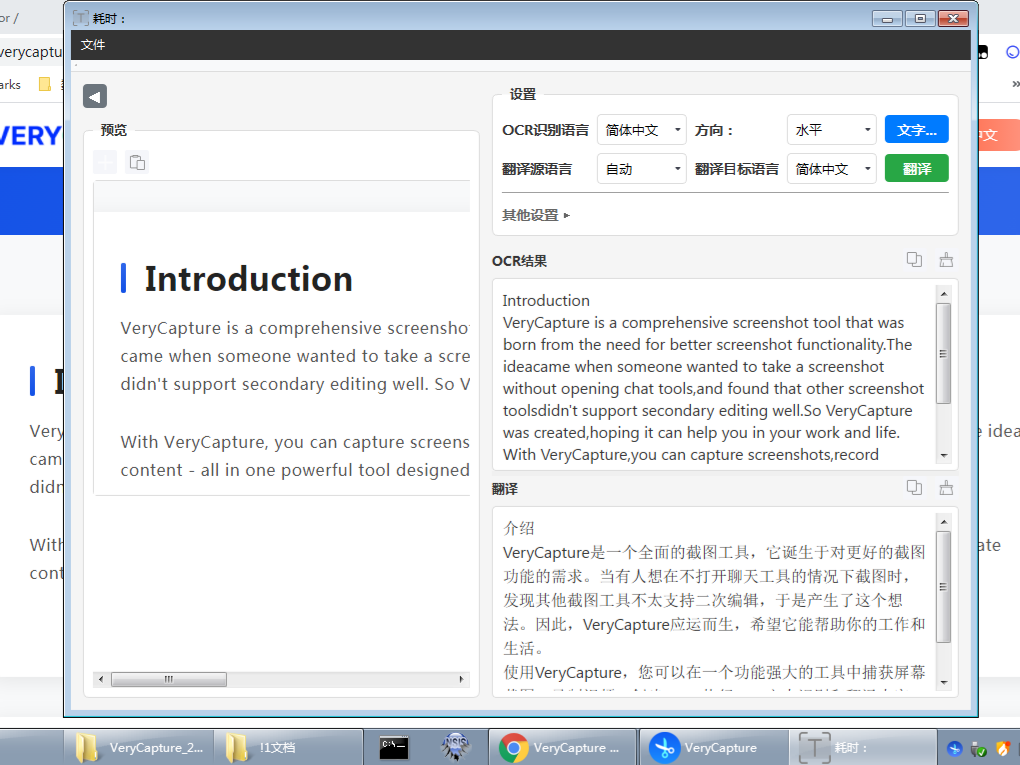
Translate text in a screenshot directly after capture.
How to Use
- Press the translation hotkey
- Drag to select an area containing text
- VeryCapture runs OCR first, then translates the result
- The translation appears in the result panel
Translation Providers
Choose a provider under Settings → Translation:
| Provider | Description |
|---|---|
| Baidu Translate | Requires AppID + secret key |
| Tencent Translate | Requires API Key |
| Youdao Translate | Requires AppKey + AppSecret |
| Google Translate | Requires API Key |
| Sogou Translate | Translation only (no OCR) |
| Auto | VeryCapture picks an available provider automatically |
Supported Languages
The following languages are supported for translation: Simplified Chinese, English, Japanese, Korean, French, Spanish, Portuguese, German, Italian, Russian, and Cantonese
In Settings, set the source language and target language separately.
Tip: Cloud translation services usually include a free quota. Usage beyond that may require payment. See each provider's website for details.