Image Annotation
After taking a screenshot, use the toolbar to annotate it. Supported tools:

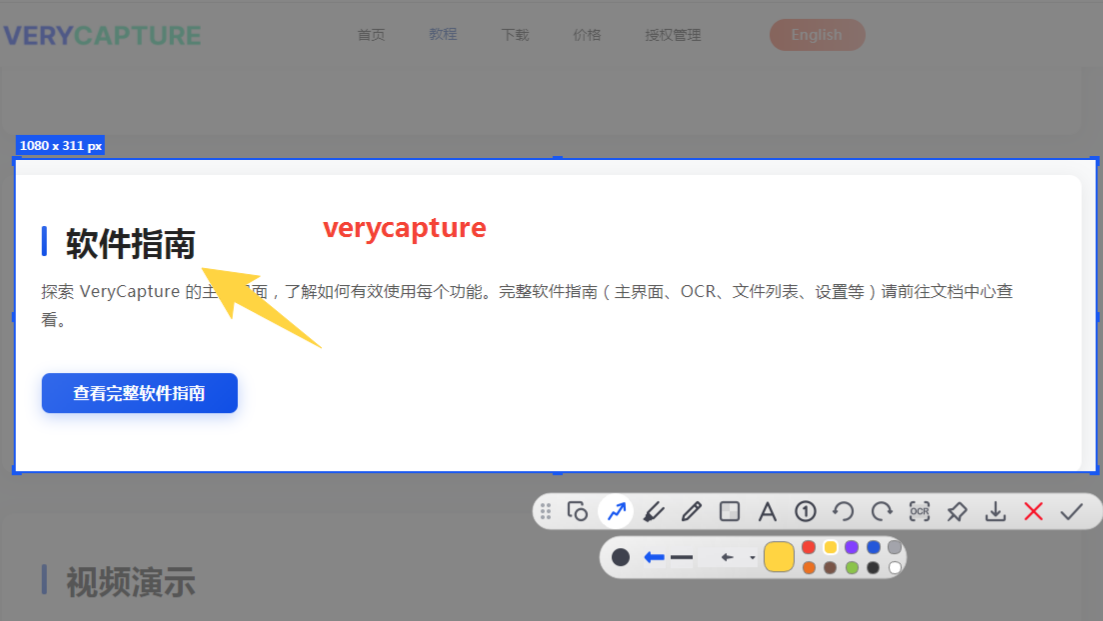
| Tool | Purpose |
|---|---|
| Rectangle | Highlight a rectangular area |
| Circle / Ellipse | Highlight a circular area |
| Line | Draw straight lines |
| Arrow | Indicate direction |
| Highlighter | Freehand highlight strokes |
| Mosaic | Hide sensitive information |
| Text | Add text labels |
Tips:
- After selecting a tool, adjust color and line width on the toolbar
- For the mosaic tool, adjust the block size
- Press
Ctrl+Zto undo the last annotation