VeryCapture User Guide
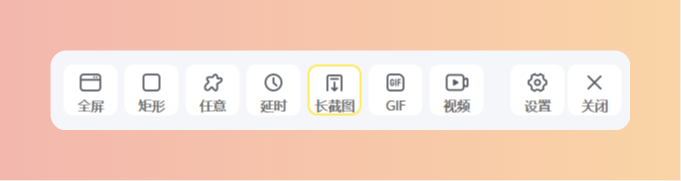
VeryCapture is a screenshot and screen recording tool for Windows. It supports rectangular, full-screen, and scrolling captures; GIF and video recording; OCR text recognition; screenshot translation; pin-to-desktop; and image annotation.
This guide is organized by feature. Use the table of contents on the left to jump to any section. After installation, the app runs in the system tray, and global hotkeys work in any application without switching to the main window.
Version: 2.0.1
Quick Navigation
| Chapter | Content |
|---|---|
| Quick Start | Tray icon and basic operations |
| Screenshot | Rectangular, full-screen, scrolling capture, and more |
| Recording | GIF and video recording |
| OCR Text Recognition | Offline and cloud OCR engines |
| Translation | Screenshot translation and provider setup |
| Pin to Desktop | Keep screenshots on top for reference |
| Image Annotation | Arrows, mosaic, text, and more |
| Screenshot History | History and file management |
| Keyboard Shortcuts | Default shortcuts and customization |
| Settings | Save, OCR, recording, and other options |
| Pro Activation | Pro edition activation |
| FAQ | Troubleshooting |